> ## Documentation Index
> Fetch the complete documentation index at: https://docs.bango.com/llms.txt
> Use this file to discover all available pages before exploring further.
# Activation
> Notifications for entitlement activation events.
## Entitlement Activation Success Notifications
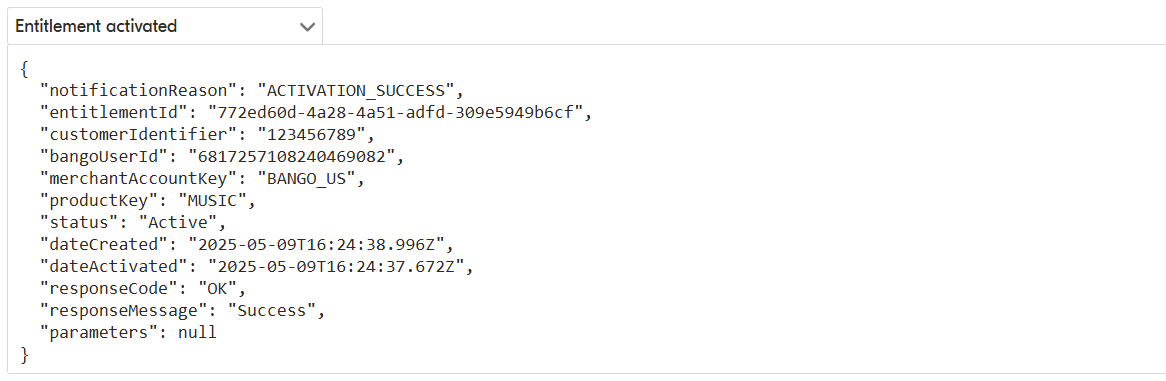
You receive an activation success notification when a content provider successfully activates an entitlement.
The notification is sent with `notificationReason` set to `ACTIVATION_SUCCESS`, and the entitlement status changes to `ACTIVE`.
The notification includes key entitlement details, including:
* `entitlementId`
* `customerIdentifier`
* `sharedCustomerId`
* `merchantAccountKey`
* `productKey`
* `status`
It also includes important timestamps such as:
* `dateCreated`
* `dateActivated`
`dateActivated` is the timestamp provided by the content provider when the entitlement is activated.
Notifications are sent to the `notificationUrl` configured during onboarding or provided when the entitlement was created.
If a `notificationUrl` is set on the entitlement itself, it overrides the default notification URL for all notifications related to that entitlement.
You can secure notifications using one of these authentication methods:
* `X-api-key`
* Basic authentication
* OAuth2
For entitlements in `PENDING` status, resellers can request activation details using a separate API endpoint. Depending on the content provider, this may return activation URLs or activation codes that the consumer uses to complete activation.
Here is an example of an `ACTIVATION_SUCCESS` notification: