> ## Documentation Index
> Fetch the complete documentation index at: https://docs.bango.com/llms.txt
> Use this file to discover all available pages before exploring further.
# DCB care tool
Care allows customer service teams to access and resolve payment queries with speed and efficiency.
If you don't have access or would like to find out more, Contact [Bango Support](https://developer.bango.com/help/support/) to get started.
### **Care Pages**
### **Search Screen**
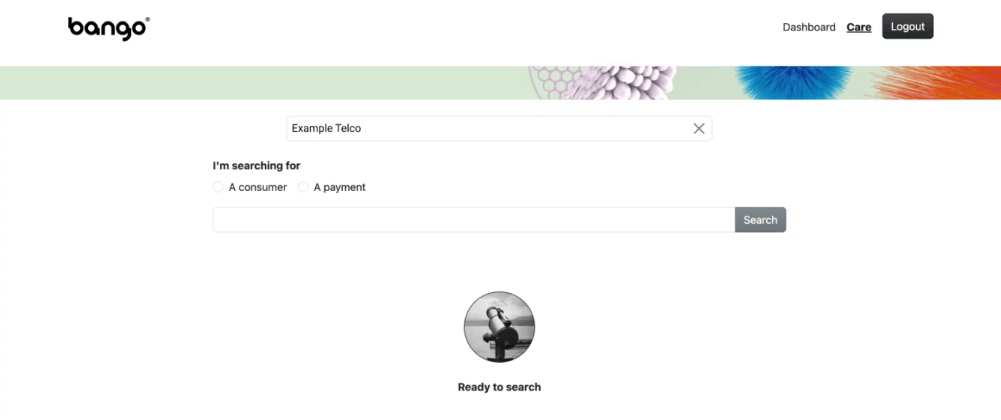
The Search Screen allows you to search for either a Consumer or a Payment.
You can search for a Consumer by entering either a Payment Instrument, a Payment Instrument Token or a Merchant Consumer ID.
Alternatively you can search directly for a Payment via a Bango Resource Id, a Payment Provider Transaction Reference or a Merchant Transaction Reference.
 ### **Consumer Details Page - Search Results**
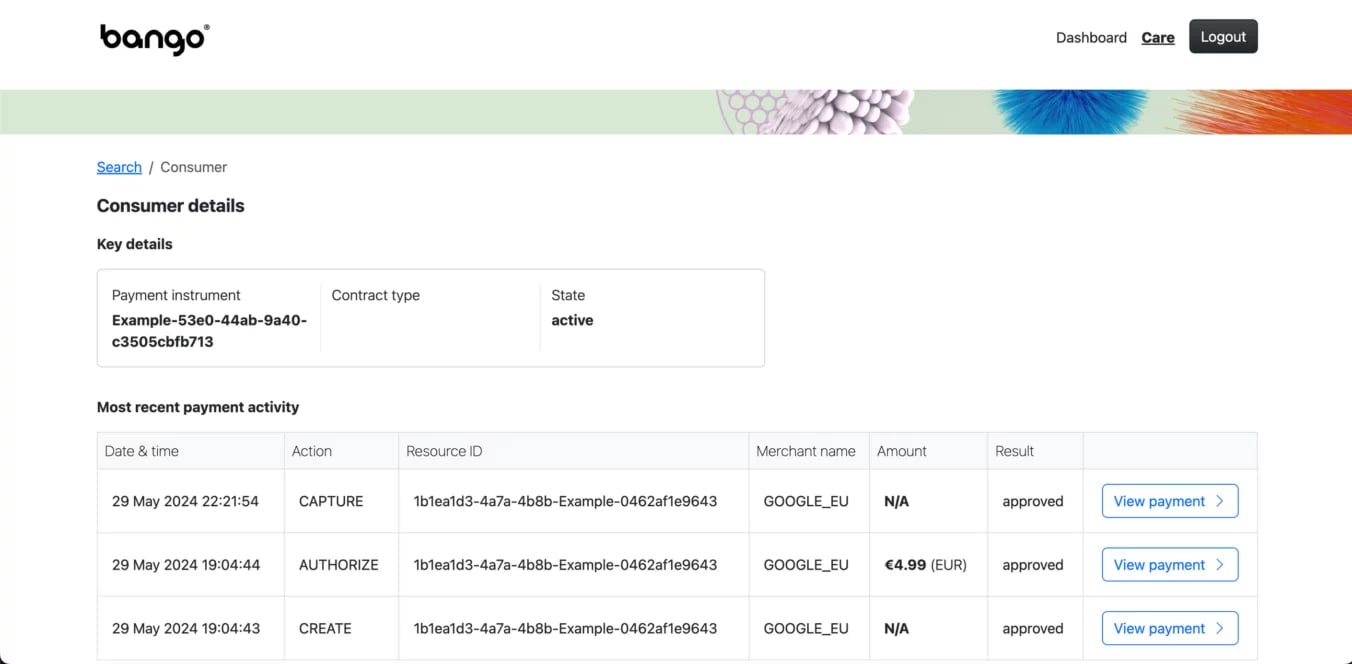
You can navigate to the Consumer details page either by searching for a Consumer or by working backwards to a consumer via a Payment. The Consumer details page shows you the following information:
### **Consumer Details Page - Search Results**
You can navigate to the Consumer details page either by searching for a Consumer or by working backwards to a consumer via a Payment. The Consumer details page shows you the following information:
- Key details: Payment instrument, Contract type, State
- Payment Activity: Date & time, Action, Resource ID, Merchant name, Amount, Result
It also allows you to directly navigate to the Payments related to a consumer.
 ### **Payment Details Page - Search Results**
You can navigate to the Payment Details details page either by searching for a Payment or by navigating through a Consumer detail page to a Payment. The Consumer details page shows you the following information:
### **Payment Details Page - Search Results**
You can navigate to the Payment Details details page either by searching for a Payment or by navigating through a Consumer detail page to a Payment. The Consumer details page shows you the following information:
Key details
Resource ID, Payment Instrument ID, Merchant name, Payment state, Currency, Authorized balance, Captured balance, Refunded balance.
- Sale item: Unique ID, Value, Category, Description
- Recent activity: Last updated, Last action, Processing state
- Resource identifiers: Payment provider transaction reference, Merchant payment reference
- Payment action history: Date & time, Action, Value, Result, Error code, Error text
### **Activity History Page - Search Results**
Activity History page shows the lates or final state of your payment. Key details include:
- Merchant Payment ID: Allows you to reconcile with your merchant
- Payment provider ID: Your own provided ID
- Resource ID: Bango internal Id
- Merchant name: Merchant
- Status: Latest or final state of the Payment
- Error: If in errored state, the human readable error detail
by Clicking "View Payment", the page will change to show you the full audit log and more details for the selected Payment.
.png?fit=max&auto=format&n=_yXgJkwTZQ0CnPQ1&q=85&s=a634b4cad7b310a4f8461a9775b4a8fe)