

Care Pages
Search Screen
The Search Screen allows you to search for either a Consumer or a Payment. You can search for a Consumer by entering either a Payment Instrument, a Payment Instrument Token or a Merchant Consumer ID. Alternatively you can search directly for a Payment via a Bango Resource Id, a Payment Provider Transaction Reference or a Merchant Transaction Reference.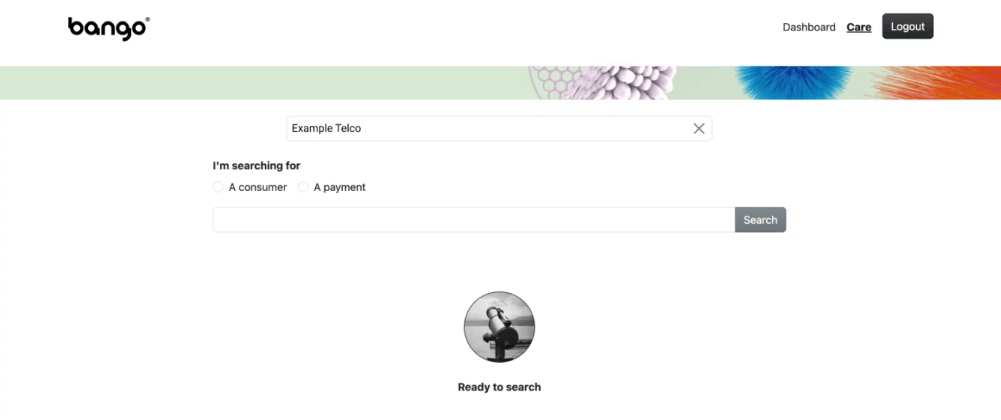
Consumer Details Page - Search Results
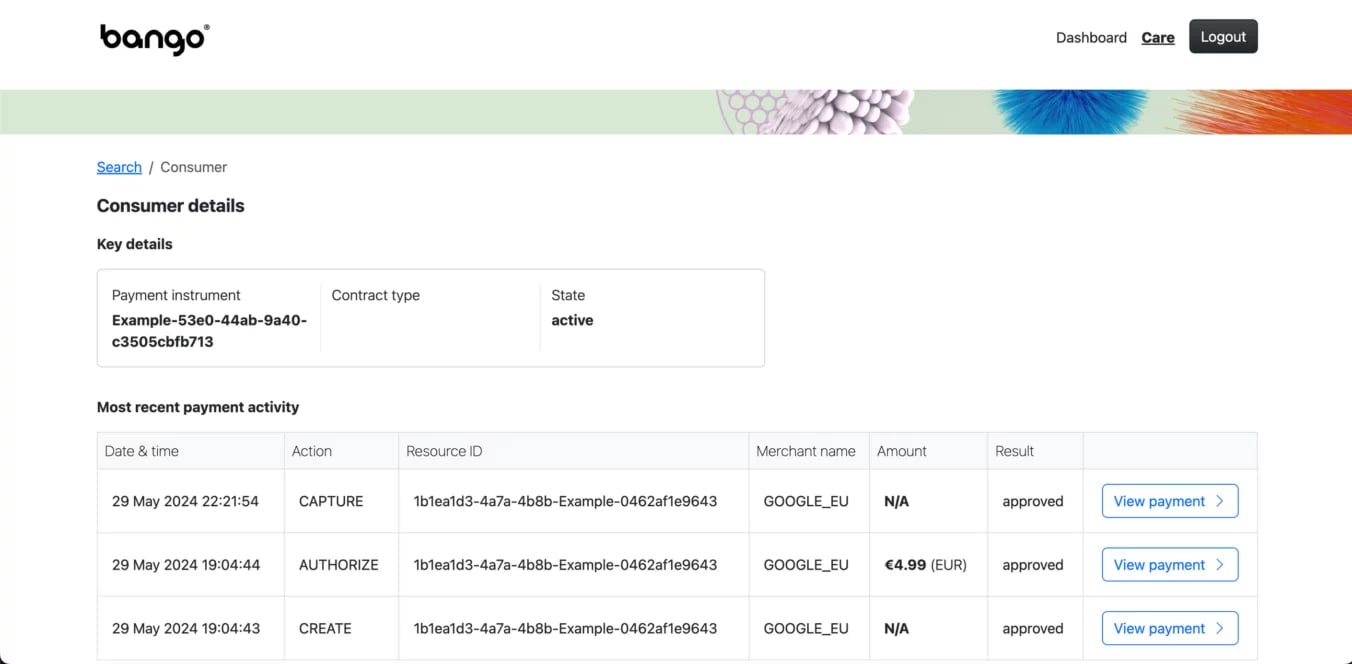
You can navigate to the Consumer details page either by searching for a Consumer or by working backwards to a consumer via a Payment. The Consumer details page shows you the following information:- Key details: Payment instrument, Contract type, State
- Payment Activity: Date & time, Action, Resource ID, Merchant name, Amount, Result
It also allows you to directly navigate to the Payments related to a consumer.
Payment Details Page - Search Results
You can navigate to the Payment Details details page either by searching for a Payment or by navigating through a Consumer detail page to a Payment. The Consumer details page shows you the following information:Key details
Resource ID, Payment Instrument ID, Merchant name, Payment state, Currency, Authorized balance, Captured balance, Refunded balance.
- Sale item: Unique ID, Value, Category, Description
- Recent activity: Last updated, Last action, Processing state
- Resource identifiers: Payment provider transaction reference, Merchant payment reference
- Payment action history: Date & time, Action, Value, Result, Error code, Error text
Activity History Page - Search Results
Activity History page shows the lates or final state of your payment. Key details include:- Merchant Payment ID: Allows you to reconcile with your merchant
- Payment provider ID: Your own provided ID
- Resource ID: Bango internal Id
- Merchant name: Merchant
- Status: Latest or final state of the Payment
- Error: If in errored state, the human readable error detail by Clicking “View Payment”, the page will change to show you the full audit log and more details for the selected Payment.
.png?fit=max&auto=format&n=_yXgJkwTZQ0CnPQ1&q=85&s=a634b4cad7b310a4f8461a9775b4a8fe)