Entitlement Activation Success Notifications
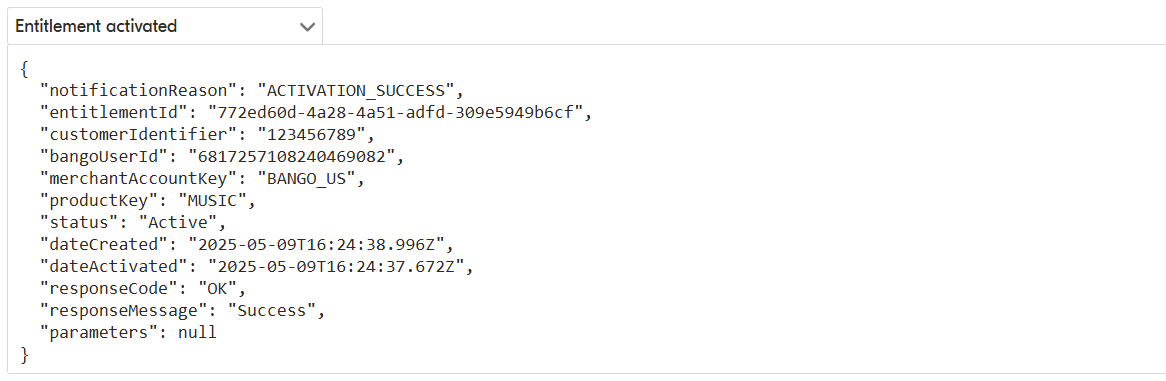
You receive an activation success notification when a content provider successfully activates an entitlement. The notification is sent withnotificationReason set to ACTIVATION_SUCCESS, and the entitlement status changes to ACTIVE.
The notification includes key entitlement details, including:
entitlementIdcustomerIdentifiersharedCustomerIdmerchantAccountKeyproductKeystatus
dateCreateddateActivated
dateActivated is the timestamp provided by the content provider when the entitlement is activated.
Notifications are sent to the notificationUrl configured during onboarding or provided when the entitlement was created.
If a notificationUrl is set on the entitlement itself, it overrides the default notification URL for all notifications related to that entitlement.
You can secure notifications using one of these authentication methods:
X-api-key- Basic authentication
- OAuth2
PENDING status, resellers can request activation details using a separate API endpoint. Depending on the content provider, this may return activation URLs or activation codes that the consumer uses to complete activation.
Here is an example of an ACTIVATION_SUCCESS notification: